dell-powerstore

What You Need to Build a Hyper-V Cluster Using Dell Hardware (Practical Checklist + Reference Architecture)

The Baseline: Hyper-V cluster requirements (what Microsoft expects)

If you’re building a cluster that will host highly available VMs, your servers must meet Failover Clustering requirements and also support the Hyper-V role requirements.

Also: Microsoft recognizes multiple supported storage architecture patterns (SAN/NAS, S2D, hyperconverged, mixed) so you can choose what matches your resiliency and budget goals.


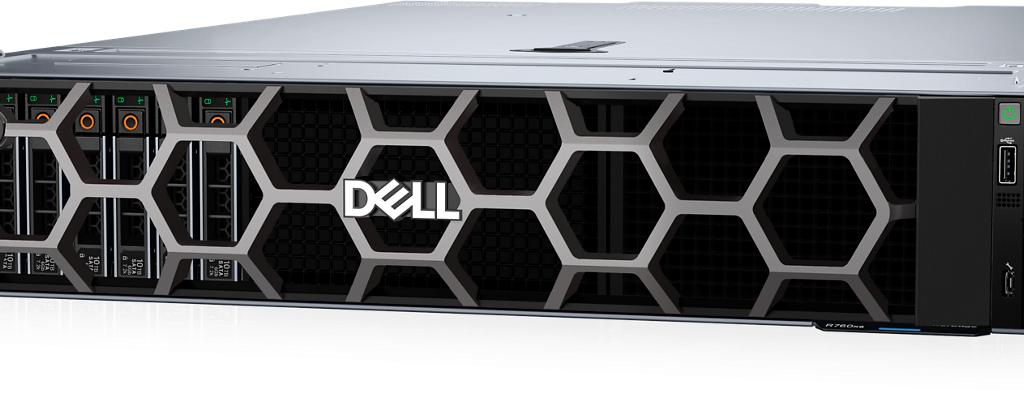
1) Servers (Dell PowerEdge hosts)
Minimum recommendations (real-world)

  • 2–6 hosts (3–4 is common for balanced HA + capacity)
  • Consistent CPU generation and core counts across nodes
  • Plenty of RAM headroom (clustered HA amplifies contention if you run “hot”)

Why “identical nodes” still matters
Dell’s Hyper-V guidance historically recommends identical hardware within a host cluster—even though Windows clustering doesn’t strictly require it. This reduces driver/firmware drift and improves stability.


2) Storage (choose one architecture)
You typically pick one of these:

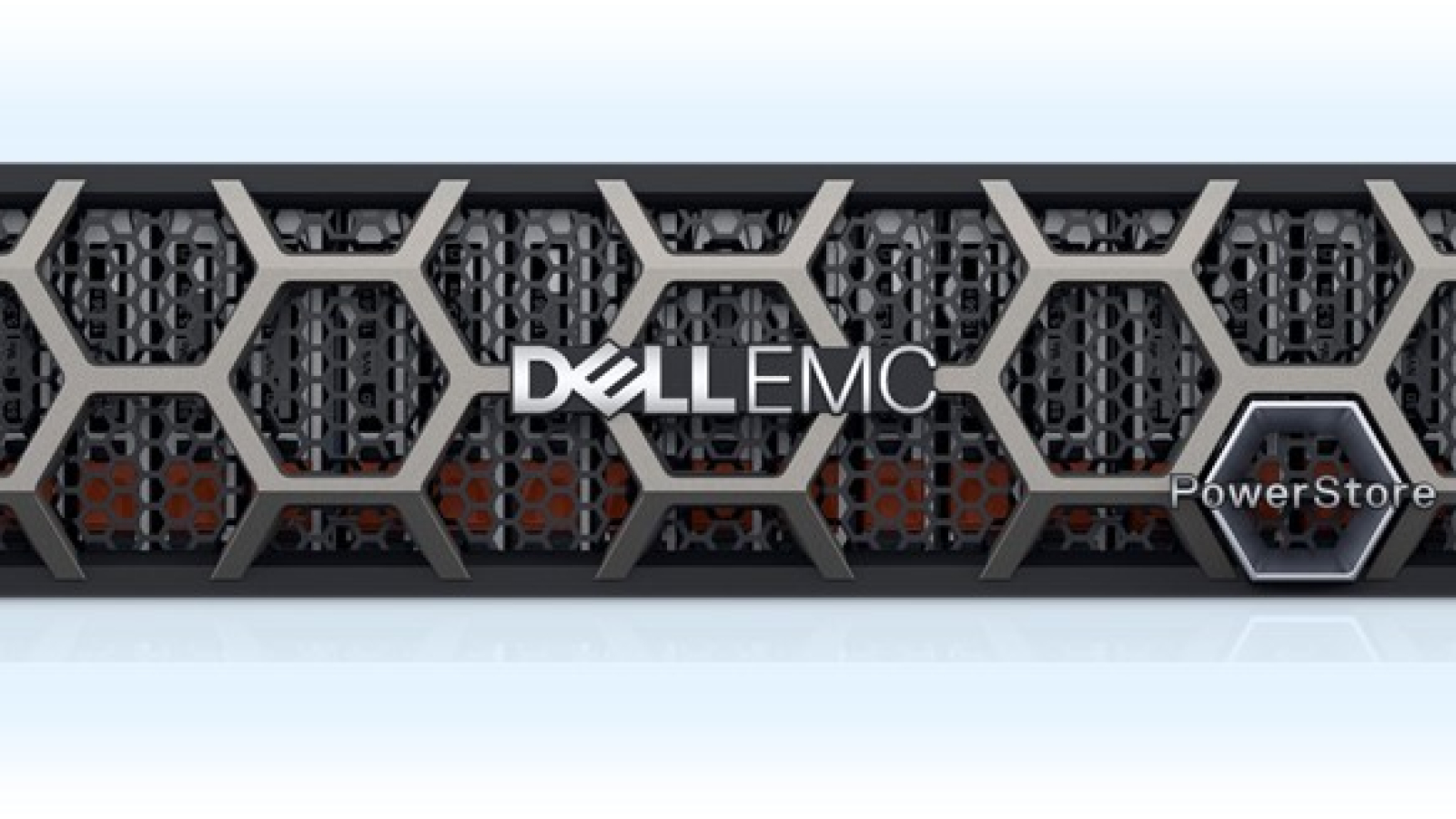
A) SAN/NAS shared storageDell PowerStore

  • Great for predictable performance and independent scaling
  • Often simplest operationally for teams who want compute/storage separation

B) Storage Spaces Direct (S2D)

  • Hyperconverged model
  • Requires careful hardware alignment and validation
  • Great when you want HCI-like scaling and local-disk performance

C) Mixed / specialized

  • Useful when combining older investments with new cluster nodes (must be validated carefully)

3) Networking (the #1 design lever for cluster performance)

Microsoft provides best-practice guidance for Hyper-V failover cluster networking—traffic isolation, QoS, and converged networking designs.

Typical “clean” network design includes:

  • Management network
  • VM network(s)
  • Live migration network
  • Cluster network/heartbeat
  • Storage network (if using SMB/iSCSI/NFS)

Converged networking is valid
Windows supports converged networking where multiple traffic types share NICs using vSwitch + QoS + VLAN isolation.

When RDMA is part of the plan
RDMA can improve SMB storage and live migration performance in the right designs; Dell provides Windows Server guidance for RDMA scenarios.


4) Operating system + management tooling

OS

  • Choose a Windows Server version supported for your environment and keep nodes consistent.

Management
Windows Admin Center is commonly recommended for managing Windows Server environments, but you may still rely on Hyper-V Manager, Failover Cluster Manager, SCVMM, and PowerShell for full coverage.


5) Cluster validation and acceptance (don’t skip)

Run Cluster Validation early and again after major changes. It helps detect:

  • Storage pathing issues
  • Network misconfigurations
  • Driver/firmware mismatches

A practical “what to buy/build” checklist (non-vendor-lock)

Compute

  • 2–6 Dell PowerEdge nodes
  • Consistent CPUs, RAM, NICs
  • Redundant PSUs, iDRAC management

Network

  • Redundant switches
  • Correct uplinks and VLAN design
  • NIC features aligned with Microsoft guidance (VMQ/QoS as appropriate)

Storage

  • Dell PowerStore SAN or S2D hardware plan per chosen architecture

Software

  • Windows Server licensing
  • Backup/DR tooling
  • Monitoring + patch orchestration

Abtech Services

Want a clean design that won’t require a redesign later? Abtech can deliver:

  • A Hyper-V cluster bill of materials
  • A validated network + storage architecture
  • Implementation + documentation + operational handoff
Migration Professional Services-01

How to Migrate from Dell VxRail (VMware vSAN) to Microsoft Hyper-V: Step-by-Step Runbook

Why VxRail-to-Hyper-V migrations are different

VxRail is built as a tightly integrated VMware stack – vSphere + vSAN + lifecycle management optimized around VMware vSAN storage policies and data placement.
Moving to Hyper-V usually means you’re replacing not only the hypervisor, but also the operational model (patching, monitoring, backup tooling) and often the storage architecture (vSAN vs SAN/NAS vs Storage Spaces Direct).

This runbook is the approach we use when the goal is: stand up Hyper-V in parallel, migrate safely, validate thoroughly, then decommission VMware/VxRail.


Phase 0 – Decide your target Hyper-V architecture (before you migrate)

Pick one primary design so you don’t migrate twice:

Option A: Hyper-V cluster + SAN/NAS (disaggregated storage)
Compute cluster is separate from storage; VMs live on shared storage presented to the cluster.

Option B: Hyper-V cluster + Storage Spaces Direct (S2D) (hyperconverged)
Compute and storage scale together, similar in spirit to HCI.

Option C: Standalone Hyper-V hosts (small deployments / special use cases)
Useful for limited workloads, but you give up cluster-based HA for most workloads.

If you’re used to vSAN resilience rules, you’ll want an equivalent resiliency target in Hyper-V (cluster + shared storage, or cluster + S2D).


Phase 1 – Inventory and readiness (what to capture in week 1)

1) Workload inventory (VM by VM)

  • VM name, OS, CPU/RAM, disk sizes, datastore location
  • NIC/VLAN details
  • RPO/RTO requirements (by app)
  • Dependencies (DCs, DNS, DHCP, SQL, line-of-business apps)

2) Clean up the VMware side

  • Remove/merge snapshots
  • Confirm backup success + restore test for critical apps
  • Verify CBT status where you plan to use tooling that relies on it (common with conversion/replication tools)

3) Choose your migration method
Most organizations use one of these:

Method 1 (Microsoft-native): Windows Admin Center VM Conversion extension
Microsoft provides a guided workflow to connect to vCenter, run prechecks, synchronize, and migrate VMs to Hyper-V. It includes prerequisites like PowerCLI, VDDK, and “no active snapshots.”

Method 2 (Replication-based): backup/replication tooling (often fastest for big environments)
Useful when you want low downtime cutovers and repeatable wave migrations.

Method 3 (Manual conversion): convert VMDK → VHDX and rebuild VM config
Works, but tends to be slower and more error-prone at scale.


Phase 2 – Build the Hyper-V landing zone (parallel platform)

Before you touch production workloads, build the target correctly.

1) Install and patch Windows Server on the hosts
Choose a supported Windows Server version across all nodes and keep it consistent.

2) Add required roles/features

  • Hyper-V
  • Failover Clustering (if clustering)
  • MPIO / iSCSI initiator (if using SAN/NAS, depending on design)

Microsoft’s cluster requirements documentation is your baseline.

3) Configure networking intentionally
Plan for:

  • Management
  • VM traffic
  • Live Migration
  • Cluster heartbeat
  • Storage traffic (if applicable)

Microsoft provides specific Hyper-V cluster network recommendations and isolation/QoS guidance.

4) Configure storage

  • If SAN/NAS: present shared volumes to all nodes and configure CSVs where appropriate
  • If S2D: follow an S2D design and validate hardware alignment

Microsoft outlines storage architecture patterns for failover clustering so you can match your resilience goals.

5) Run Cluster Validation
Cluster Validation isn’t optional for a stable platform; it’s where you catch driver, storage, and networking misalignments early.


Phase 3 – Migrate VMs (step-by-step using Windows Admin Center VM Conversion)

This is a practical flow aligned to Microsoft’s documented process.

Step 1: Prepare the Windows Admin Center (WAC) gateway

On the WAC gateway machine, ensure prerequisites are met (commonly includes):

  • VMware PowerCLI installed
  • VDDK placed in the required path
  • VC++ redistributables as required
  • No active snapshots on the VMs you will migrate

Step 2: Connect WAC to vCenter

  • Open WAC → Extensions → VM Conversion
  • Connect to vCenter using FQDN and credentials

Step 3: Synchronize (seed) VM data

  • Select VM(s) → run prechecks
  • Choose the target path on Hyper-V storage for the VHDX seed
  • Let sync complete before scheduling cutover

Step 4: Migrate (cutover)

When you start migration, WAC typically:

  • Runs migration prechecks
  • Performs delta replication
  • Powers off the source VM
  • Executes final delta sync
  • Imports the VM into Hyper-V

Plan your cutovers in waves: non-critical first, then business-critical after you’ve proven the process.


Phase 4 – Post-migration validation (the part that prevents surprises)

1) Boot and OS health

  • Confirm clean boot, services start, event logs are clean
  • Confirm time sync and domain join status

2) Network validation

  • Verify IP, VLAN, DNS, routing, firewall rules

3) App validation

  • App owners sign-off on core transactions

4) Backups + DR

  • Confirm the VM is protected in your backup platform
  • Validate restore (at least one critical workload)

5) Performance sanity checks

  • Storage latency (especially if moving off vSAN to a new storage stack)
  • CPU ready equivalents / host contention

Phase 5 – Decommission VxRail safely

Only after business sign-off:

  • Confirm all VMs are migrated
  • Remove host dependencies (monitoring, backup hooks, scripts)
  • Archive configs
  • Decommission per operational and security requirements

Abtech Services

Abtech Technologies can provide this as a service. We can:

  1. Design the solution to include best of breed Dell hardware
  2. Deploy the hardware
  3. Plan and implement the migration from VxRail to Hyper-V
  4. Provide training and validation

Hyper-V vs VMware- Understanding the Real Differences in Performance and Cost

VxRail vs Hyper-V on Dell: What actually changes (and what stays the same)?

If you’re running VxRail (VMware) today and considering Hyper-V on Dell, the biggest shift is not “Dell vs Dell.” It’s VMware stack vs Microsoft stack. You can keep Dell-grade compute and storage while changing the virtualization layer and the economics behind renewals.

What stays the same

1) You can keep Dell infrastructure performance and enterprise support

A common misconception is that leaving VMware means leaving the “Dell ecosystem.” Not true.

  • Dell PowerEdge remains your compute platform.
  • Dell PowerStore remains your modern all-flash storage foundation, designed around end-to-end NVMe and dual active/active controllers for consistent low-latency performance.
  • Dell continues to publish and maintain guidance for integrating PowerStore with Microsoft Hyper-V.

2) Your core goals don’t change

Your goals are still:

  • predictable performance
  • fast recovery
  • easy scaling
  • fewer operational surprises
  • a platform your team can run confidently

The “platform swap” is a means to those ends.


What changes (and why it matters)

1) The virtualization layer and management model

With VxRail, you’re typically in a VMware-centered operational world (vCenter, VMware lifecycle, VMware licensing constructs, etc.).

With Hyper-V, the world becomes Microsoft-centered:

  • Windows Server + Hyper-V clustering and host management
  • Integration with Microsoft tooling (Windows Admin Center / System Center depending on your org)
  • Familiar identity and policy foundations (Active Directory, GPOs, Windows patching patterns)

For many organizations, that isn’t “new.” It’s simply more aligned with the rest of their environment.

2) The renewal and procurement risk profile

The #1 reason customers start looking is cost uncertainty and procurement rules changing.

Industry reporting has described major VMware licensing shifts post-acquisition and enforcement changes affecting renewal economics. For example, CRN reported increases in minimum core purchase requirements and late renewal penalties described in partner communications.
Separately, licensing analysts note the broader shift toward subscription-only models and bundling that can change how organizations forecast VMware costs over time.

Translation: even if you love the technology, you may not love the budgeting risk.

3) The architecture becomes more “build the stack you want”

VxRail is an integrated HCI platform. That’s a benefit—until it isn’t.

Moving to Hyper-V on Dell gives you a choice:

  • Build classic three-tier (compute + SAN + network)
  • Build converged patterns
  • Keep it simple and right-sized instead of buying a rigid bundle

This flexibility is often what customers want when they feel locked into renewal decisions.


What a “good” Hyper-V on Dell design looks like (plain-English)

A lot of customers ask: “If we leave VxRail, are we going backwards?”
Not if you design it correctly.

A practical target architecture usually includes:

  • PowerEdge hosts sized for your VM workloads
  • Redundant networking (segmented VLANs for management / VM / storage)
  • PowerStore providing VM datastores over block (FC or iSCSI), configured using Dell guidance for Hyper-V
  • A backup platform that supports image-level + app-consistent backups
  • A phased migration plan so production isn’t “all or nothing”

Who is this alternative best for?

Hyper-V on Dell is often an excellent fit when:

  • Your VMware renewal is materially increasing or becoming unpredictable
  • You’re already a Microsoft-standardized shop
  • You want enterprise storage performance (PowerStore) without being tied to VMware licensing constraints
  • You want a migration path that doesn’t force you to re-platform everything at once

You may decide to stay VMware when:

  • You’re deeply embedded in VMware-specific tooling and automation
  • You’re mid-transformation and switching platforms introduces unacceptable timing risk

Either way, Abtech can help you build a plan you can defend.

Hyper-V vs VMware — Understanding the Real Differences in Performance and Cost – Abtech IT Solutions and Managed IT Services

CTA: “VxRail Exit Assessment” — Abtech compares (1) renew, (2) renegotiate, (3) migrate to Hyper-V with Dell infrastructure, with a clear recommendation and timeline.

Unlocking the Power of Hyper-V: Seamless Integration

Hypervisor Migration Services – Abtech IT Solutions and Managed IT Services

dellemc-ci-vxrail-homepage

Why did my VxRail (VMware) renewal get so expensive—and what can I do about it?

What’s causing the renewal shock on VxRail + VMware?

Many IT teams have seen VMware costs rise after Broadcom’s acquisition—especially where customers are moved from perpetual licensing to subscription bundles and face new purchasing rules. Industry reporting includes examples of customers alleging 8–15x cost increases depending on environment and bundles.

Broadcom-related licensing updates have also been reported to include:

  • Higher minimum core purchase requirements (reported minimums rising significantly in some programs)
  • Late renewal penalties that increase the cost of delaying decisions
  • Minumum core requirements hitting customers with smaller environments.
  • Requirement to move to higher product tiers.

How Will VMware’s New Pricing and 72-Core Minimum Affect My Renewal? – Abtech IT Solutions and Managed IT Services

What are realistic alternatives if you’re tired of the VMware renewal treadmill?

A practical path is to keep enterprise-grade Dell infrastructure while changing the virtualization layer:

Option A: Dell PowerEdge + Microsoft Hyper-V + Dell PowerStore (recommended for many SMB + mid-enterprise)

  • Familiar Microsoft administration model
  • Strong performance for VM workloads with SAN best practices
  • A licensing approach many orgs already understand via Windows Server

Hyper-V vs VMware — Understanding the Real Differences in Performance and Cost – Abtech IT Solutions and Managed IT Services

Unlocking the Power of Hyper-V: Seamless Integration

Option B: Stay VMware but modernize storage and negotiate aggressively
This can make sense if you’re heavily invested in VMware-specific tooling, but it doesn’t eliminate licensing volatility.

Why PowerStore is a strong storage foundation for a Hyper-V refresh

PowerStore is built on end-to-end NVMe with dual active/active controllers and supports modern connectivity including NVMe-oF (FC and TCP).
Dell also provides guidance specifically for PowerStore + Microsoft Hyper-V deployments.

Top 10 Reasons to Refresh legacy DellEMC storage with PowerStore – Abtech IT Solutions and Managed IT Services

How Abtech helps

Abtech designs the target architecture, migrates workloads from VMware to Hyper-V, validates performance, and provides ongoing managed services—so this isn’t just a “platform swap,” it’s a controlled modernization.

Hypervisor Migration Services – Abtech IT Solutions and Managed IT Services

Book a “Renewal Exit Assessment” (30–60 minutes): current VxRail/VMware costs, renewal dates, workload tiers, migration path.

VMware Renewal Cost Options

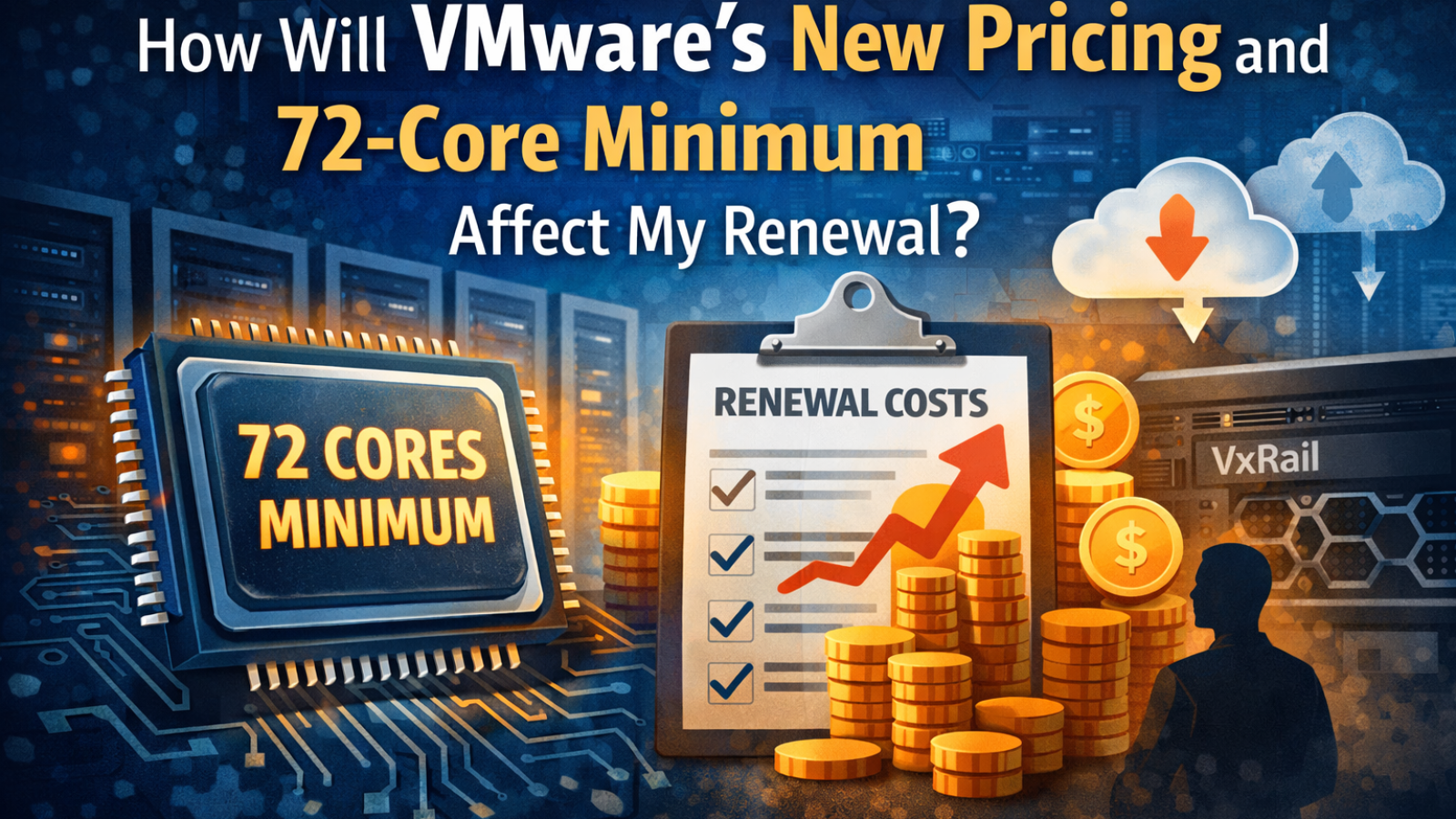
How Will VMware’s New Pricing and 72-Core Minimum Affect My Renewal?

Introduction: Why VMware Renewals Look Different Now

If your VMware renewal quote arrived with a significant increase, you’re not alone. Since Broadcom acquired VMware, licensing structure, editions, and minimum requirements have changed, even for environments that haven’t grown.

Most increases are not due to added usage. They’re due to new licensing rules that raise the baseline cost.

This article explains:

  • What changed in VMware licensing
  • How the 72-core minimum per purchase order affects pricing
  • Why VMware Standard is no longer available
  • How impacts vary by business size.
  • Situation for VxRail customers.
  • What practical options customers have—including migration

What Changed in VMware Licensing (Plain English)

Two changes drive most renewal increases (current as of December 2025):

1) VMware Standard Has Been Removed

VMware Standard is no longer offered. Customers moving to vSphere 8 must purchase higher-tier subscription bundles, such as:

  • vSphere Foundation, or
  • VMware Cloud Foundation (VCF)

These bundles include features some customers may not need—but are now mandatory.


2) A Minimum Core Requirement Now Applies

VMware now enforces a minimum of 72 CPU cores per purchase order.

In practice:

  • If your total licensed cores on a PO are below 72, you are rounded up to 72.
  • If your total is above 72, you license all actual cores.
  • Licensing is subscription-based and per-core.

Important: The 72-core minimum is per purchase order, not per host. If you are renewing your existing licenses and plan to add more, you may be better adding more when you renew.


Why the 72-Core Minimum Changes the Math

Under the previous model, smaller environments could license proportionally. Under the new model, there is a higher cost floor, especially for small and mid-sized deployments.

Examples

ScenarioActual CoresBillable Cores (PO)
Small environment6472 (minimum)
2-host environment on Standard9696 (but must upgrade to Foundation level)
DR-only PO4872 (minimum)

Nothing about the hardware changed—only the licensing rules did.


How the Impact Varies by Business Size

Small Businesses (1–3 Hosts, <72 Cores Total)

Impact

  • Rounded up to 72 cores
  • Forced into Foundation-level licensing
  • Common increases: 150–300% cost

Options

  • Short-term renewal only if unavoidable
  • Migrate to Hyper-V or Proxmox VE
  • Consider Azure Stack HCI if Microsoft-centric

Mid-Sized Businesses (4–8 Hosts, 72–256 Cores)

Impact

  • No rounding once above 72, but Foundation is mandatory
  • DR/test POs can still trigger a 72-core minimum
  • Common increases: 200–400%

Options

  • Reduce VMware footprint
  • Keep VMware for Tier-1 workloads only
  • Migrate secondary/DR workloads first

Large Enterprises (9+ Hosts, 256+ Cores)

Impact

  • Higher costs, but better negotiating leverage
  • Common increases: 75–150%

Options

  • Renegotiate multi-year terms (however, by default, partners can only quote 1-year renewals)
  • Right-size cores
  • Diversify platforms over time

Why VxRail Customers Are Especially Affected

VxRail environments are impacted more because:

  • High-core CPUs are common
  • Clusters are sized for growth
  • vSAN renewal price has increased
  • VMware licensing is now decoupled from Dell incentives
  • Foundation + per-core subscriptions compound quickly

Key Insight: Your Dell hardware still has value. VMware licensing is now the primary cost driver. Abtech, in partnership with Dell is offering generous train in value on VxRail.

Common VxRail Paths

  • Convert Dell hardware to Hyper-V on Dell servers and PowerStore.
  • Transition to Azure Stack HCI on Dell AX nodes.
  • Deploy Proxmox VE on existing Dell systems. (better for less critical workloads)

Your Practical Options

Option 1: Renew VMware (Short-Term)

  • Accept higher cost temporarily
  • Buy planning time
  • Optimize cores where possible

Option 2: Reduce VMware Exposure

  • Retain VMware only where required
  • Move DR/test workloads to Hyper-V or ProxMox
  • Limit licensed core exposure

Option 3: Migrate Away from VMware

Alternatives that do not impose a minimum core floor:

  • Microsoft Hyper-V
  • Azure Stack HCI
  • Proxmox VE

Abtech can assist with planning and implementing this migration.


How Abtech Helps

Abtech Technologies helps organizations:

  • Analyze renewal impact before signing
  • Model per-PO core exposure
  • Plan VxRail exit strategies
  • Migrate to Hyper-V, Azure Stack HCI, or Proxmox
  • Execute zero-downtime transitions

You don’t have to leave VMware—but you should understand the math before you renew. If you choose to leave VMware, we can make the transition as smooth as possible.

Contact Abtech Technologies for a VMware Renewal & Options Assessment

What Every IT Director Should Know About Azure Hybrid Cloud Integration

What Every IT Director Should Know About Azure Hybrid Cloud Integration

Introduction

Cloud adoption isn’t about moving everything off-premises, it’s about finding balance.
For many IT leaders, the Azure Hybrid Cloud model provides the best of both worlds: on-prem control and cloud scalability.
This article explains what Azure Hybrid Cloud integration means in practice, why it’s reshaping infrastructure strategy, and how to implement it effectively.

1. What Is Azure Hybrid Cloud?

Azure Hybrid Cloud connects on-premises infrastructure with Microsoft Azure services.
It allows workloads to move fluidly between environments while maintaining unified security, identity, and management.

Key components include:

  • Azure Arc – Centralized control for servers, Kubernetes clusters, and databases across clouds.
  • Azure Stack HCI – A Hyper-V-based platform that brings Azure capabilities to local data centers.
  • Azure Site Recovery – Cloud-based replication for disaster recovery.
  • Entra ID (Azure AD) – Unified identity and access across on-prem and cloud resources.

2. Why Hybrid Makes Sense in 2025

Complete cloud migration isn’t always practical.
Legacy systems, compliance restrictions, or performance needs keep certain workloads on-prem.
Azure Hybrid Cloud offers:

  • Cost control – Pay-as-you-go flexibility for workloads that fluctuate.
  • Performance – Local compute for latency-sensitive apps.
  • Resilience – Cloud-based backups and failover.
  • Compliance – Data residency control with global reach.

3. How Integration Works

Hybrid integration connects through secure VPNs or ExpressRoute circuits.
Azure Arc extends governance, letting IT admins apply policies and updates across both environments.
Microsoft’s Defender for Cloud provides unified threat protection and compliance scoring.

Explore Related Post: Hyper-V vs VMware — Understanding the Real Differences in Performance and Cost

4. Common Challenges

While powerful, hybrid environments require planning to avoid:

  • Misaligned network configurations
  • Identity synchronization issues
  • Licensing complexity between Windows Server and Azure
  • Lack of unified monitoring

A Managed IT Services partner like Abtech can design hybrid architectures that align with performance and budget goals.

5. When to Use Azure Stack HCI

Azure Stack HCI is ideal for organizations modernizing on-prem VMware environments.
It provides a seamless path to hybrid cloud using Hyper-V clusters, Dell PowerEdge servers, and Windows Admin Center.
It’s optimized for workloads that need local compute but cloud-level management.

Conclusion

Azure Hybrid Cloud delivers flexibility and control, letting IT leaders modernize without sacrificing governance.
A well-planned hybrid model enhances agility, reduces cost, and strengthens resilience, key pillars of the modern data center.

About Abtech Technologies

Abtech Technologies designs and implements Azure Hybrid Cloud and Hyper-V migration strategies that combine Microsoft, Dell, and Abtech engineering expertise.
From StorTrust DRaaS to Managed Security Services, we help organizations build hybrid environments that perform, scale, and stay secure.

Hyper-V vs VMware- Understanding the Real Differences in Performance and Cost

Hyper-V vs VMware — Understanding the Real Differences in Performance and Cost

Introduction

With Broadcom’s acquisition of VMware, many organizations are rethinking their virtualization strategies.
Licensing changes, contract consolidation, and limited flexibility have pushed IT leaders to evaluate Microsoft Hyper-V as a viable, cost-effective alternative.

But how do these two platforms actually compare in performance, scalability, and management?

1. Platform Overview

VMware vSphere: Long considered the gold standard for enterprise virtualization, VMware offers powerful management tools and high availability.
Microsoft Hyper-V: Integrated into Windows Server and Azure, Hyper-V delivers similar functionality at a fraction of the licensing cost, especially for Microsoft-centric environments.

2. Performance and Resource Management

Benchmarks show that Hyper-V and VMware now perform nearly identically in CPU and memory utilization.
Hyper-V’s integration with Windows Server Core and Azure Stack HCI gives it strong compatibility with hybrid workloads.
VMware’s strength lies in its extensive ecosystem, but that advantage often comes with cost and complexity.

3. Licensing and Cost Structure

Under Broadcom, VMware’s per-core licensing model and mandatory support packages have increased annual costs for mid-market customers.
In contrast, Hyper-V is included in most Microsoft 365 and Windows Server licenses eliminating additional hypervisor fees.
Over a three-year lifecycle, total cost savings can reach 40–60% when switching to Hyper-V, depending on workload.

4. Ecosystem and Integration

Hyper-V integrates natively with:

  • Microsoft 365
  • Azure Backup and Site Recovery
  • Active Directory and Intune
  • System Center Virtual Machine Manager (SCVMM)

This unified ecosystem simplifies management and provides seamless hybrid-cloud scalability.

5. Migration Considerations

Migrating from VMware to Hyper-V requires careful planning, including:

  • Converting VMDK to VHDX disks
  • Mapping virtual networks
  • Validating guest OS compatibility
  • Implementing phased migration for minimal downtime

Abtech Technologies provides structured migration frameworks to streamline the process, ensuring configuration accuracy and zero data loss.

6. Long-Term Strategy

Microsoft continues to invest heavily in Azure Stack HCI, a Hyper-V–based platform that unifies cloud and on-prem virtualization under one control plane.
This makes Hyper-V not just an alternative, but a strategic foundation for the hybrid enterprise.

Conclusion

VMware remains powerful, but Hyper-V’s integration, licensing advantages, and hybrid readiness make it a clear choice for cost-conscious and forward-thinking organizations.
For many, the decision is no longer technical, it’s financial and strategic.

About Abtech Technologies

Abtech Technologies helps organizations transition from VMware to Microsoft Hyper-V and Azure Stack HCI using proven, low-risk methodologies.
Our Enterprise Managed Services platform ensures continuous monitoring and performance optimization post-migration.
Learn more about StorTrust Cloud Disaster Recovery and Dell Infrastructure Solutions to complete your hybrid IT strategy.

Proxmox Virtualization

Streamlining Virtual Infrastructure with Proxmox VE

Simplifying Virtualization in Modern IT

In today’s fast-moving IT landscape, virtualization is the backbone of agility, scalability, and cost efficiency. However, many organizations still rely on complex, proprietary hypervisor platforms that come with steep licensing fees and fragmented management tools.

Proxmox VE (Virtual Environment) changes that. As an open-source virtualization platform, it unifies compute, storage, and networking under one intuitive, centralized interface—delivering enterprise performance without enterprise pricing.


The Challenge: Complexity, Cost, and Control

Traditional virtualization platforms often introduce unnecessary complexity and recurring costs that limit IT flexibility.

Common pain points include:

  • Fragmented management across virtual machines, containers, and storage systems
  • Limited scalability without major infrastructure investments
  • Dependency on proprietary tools for updates, automation, and integrations
  • Lack of transparency in resource utilization and failover processes

These challenges make it difficult for IT teams to maintain visibility, control, and predictability in growing environments.


The Solution: Unified Virtualization with Proxmox VE

Proxmox VE consolidates multiple virtualization layers into one streamlined platform—combining KVM virtualization and LXC containers under a unified management console. The result is complete control over resources and simplified administration.

Key Features and Benefits:

  • Integrated Web Interface: Manage virtual machines, containers, storage, and networks from a single dashboard.
  • Software-Defined Storage (Ceph & ZFS): Achieve flexible, fault-tolerant data storage that scales with your needs.
  • High Availability & Clustering: Built-in tools simplify load balancing and failover across multiple nodes.
  • Open-Source Flexibility: Avoid vendor lock-in with full transparency and community-driven innovation.
  • Support Options: Proxmox offers commercial support tiers designed for production and mission-critical environments.

Together, these features help IT leaders deploy faster, scale smarter, and reduce costs—without sacrificing reliability or visibility.


Measurable Impact: Real-World Outcomes

Organizations that adopt Proxmox VE report measurable improvements in both operational efficiency and infrastructure resilience.

Key Outcomes:

  • Lower Total Cost of Ownership (TCO): Eliminate licensing fees and reduce ongoing support costs.
  • Faster Deployment: Provision virtual machines and containers in minutes using templates.
  • Higher Uptime: Clustering and high-availability features ensure continuous operation even during maintenance or node failure.
  • Improved Visibility: Centralized performance and resource monitoring streamline troubleshooting and planning.

Proxmox’s open architecture gives IT departments the freedom to innovate, integrating seamlessly with existing automation and backup systems.


Why Choose Abtech Technologies for Proxmox Virtualization

At Abtech Technologies, we bring decades of enterprise IT experience to every Proxmox deployment. Our engineers design, deploy, and manage secure, scalable Proxmox VE clusters customized for your workloads—ensuring peak performance and reliability.

Our Expertise Includes:

  • Architecture and implementation of clustered Proxmox environments
  • Integration with Ceph, ZFS, and network storage backends
  • Automated backup and disaster recovery solutions
  • 24/7 monitoring and ongoing performance optimization

Abtech ensures your Proxmox environment is fully optimized, secure, and ready for growth—so you can focus on innovation, not infrastructure management.

Abtech Technologies helps organizations modernize their infrastructure with open-source power and enterprise reliability.

? Contact us today to learn how we can help you simplify your virtualization strategy.

Proxmox Security

Optimizing Network and Security Settings in ProxMox

Security at the Core of Virtualization

As virtualization environments expand, network and security misconfigurations remain among the leading causes of data breaches and downtime. Proxmox VE provides robust networking, firewall, and role-based security capabilities that help IT teams protect virtual machines and workloads from the inside out.

Proxmox’s open-source flexibility gives organizations enterprise-grade control — without the complexity or licensing costs of proprietary platforms.


The Challenge: Complex Network Management in Virtual Environments

Managing VLANs, bridges, and firewall rules across distributed nodes can be tedious and error-prone. Even small misconfigurations can expose systems or interrupt operations.

Common pain points include:

  • Inconsistent firewall policies between nodes and VMs
  • Limited network segmentation for multi-tenant environments
  • Misconfigured bridges causing connectivity or performance issues
  • Lack of visibility into network traffic and resource utilization

For many IT teams, these challenges limit scalability and make compliance harder to maintain.


The Solution: Strengthening Virtual Network Security in Proxmox

Proxmox simplifies secure network management through its integrated firewall, SDN support, and granular user controls. These tools make it easier to standardize configurations and enforce best practices across every node.

Key capabilities include:

  • Integrated Firewall: Manage both node-level and VM-level firewalls directly from the Proxmox web interface.
  • Bridged Networking: Quickly create VLANs, network bonds, and isolated environments for different workloads.
  • SDN Integration: Support for Software-Defined Networking enables automation and policy-driven provisioning.
  • Traffic Control: Built-in bandwidth shaping and monitoring tools provide clear visibility into network performance.
  • Role-Based Access Control (RBAC): Assign user permissions across nodes and clusters to maintain security and compliance.

These capabilities help IT teams deploy consistent, auditable, and secure virtual network topologies without extensive manual configuration.


Measurable Impact: Real Results from Proxmox Optimization

Organizations that properly configure Proxmox networking and firewalls see tangible improvements in both performance and reliability.

Key Outcomes:

  • Improved Security Posture: Unified firewall policies and logical network segmentation reduce the risk of lateral attacks.
  • Higher Uptime: Automated provisioning and consistent configuration minimize human error and downtime.
  • Enhanced Visibility: Centralized traffic analytics support capacity planning and troubleshooting.
  • Operational Efficiency: Faster onboarding of new virtual machines and simplified policy enforcement.

When combined with Proxmox’s clustering and storage management tools, these features provide an enterprise-grade virtualization stack at a fraction of the cost of traditional hypervisors.


Why Choose Abtech Technologies for Secure Virtualization

At Abtech Technologies, we specialize in designing and deploying secure Proxmox environments tailored to business and compliance needs. Our engineers integrate firewalls, VLANs, and SDN policies according to industry best practices, ensuring every VM operates in a protected, optimized, and high-performing ecosystem.

We combine decades of enterprise virtualization experience with 24/7 managed support — delivering peace of mind for organizations that demand security, reliability, and scalability.

Abtech Technologies helps IT teams transform their infrastructure with confidence — whether you’re migrating from VMware or expanding your existing Proxmox cluster.

? Contact us today to discuss your Proxmox deployment or schedule a consultation.

?