
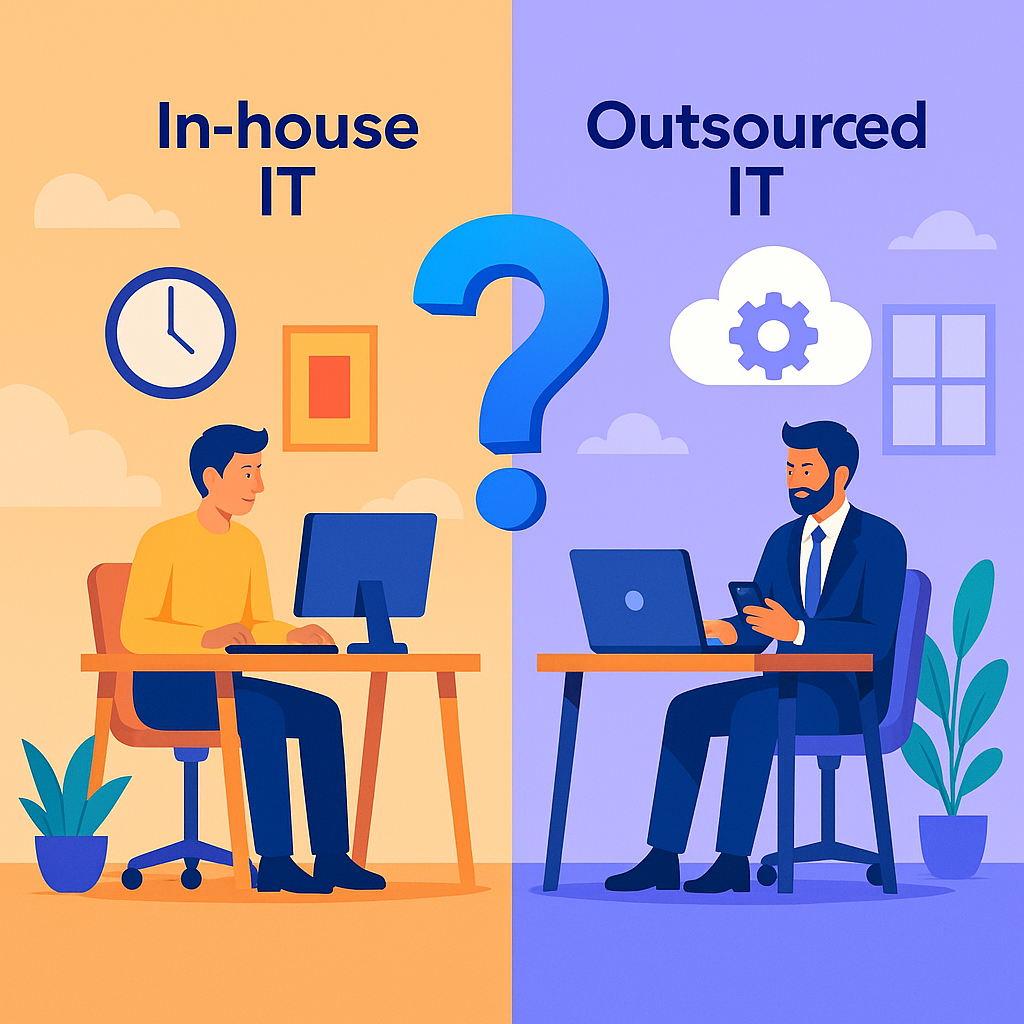
How to Decide Between In-House IT and Managed Services in 2025 (2)

How Managed Services Can Help Businesses That Move Their IT To the Cloud

For Businesses Using SaaS, Azure, and AWS

Managed IT Services for Cloud-First Businesses

Most small businesses today no longer run traditional on-premise IT. Instead, they rely on a mix of SaaS applications and cloud infrastructure hosted in Microsoft Azure or AWS.

This shift enables flexibility and growth — but it also creates new operational risks that many businesses underestimate.

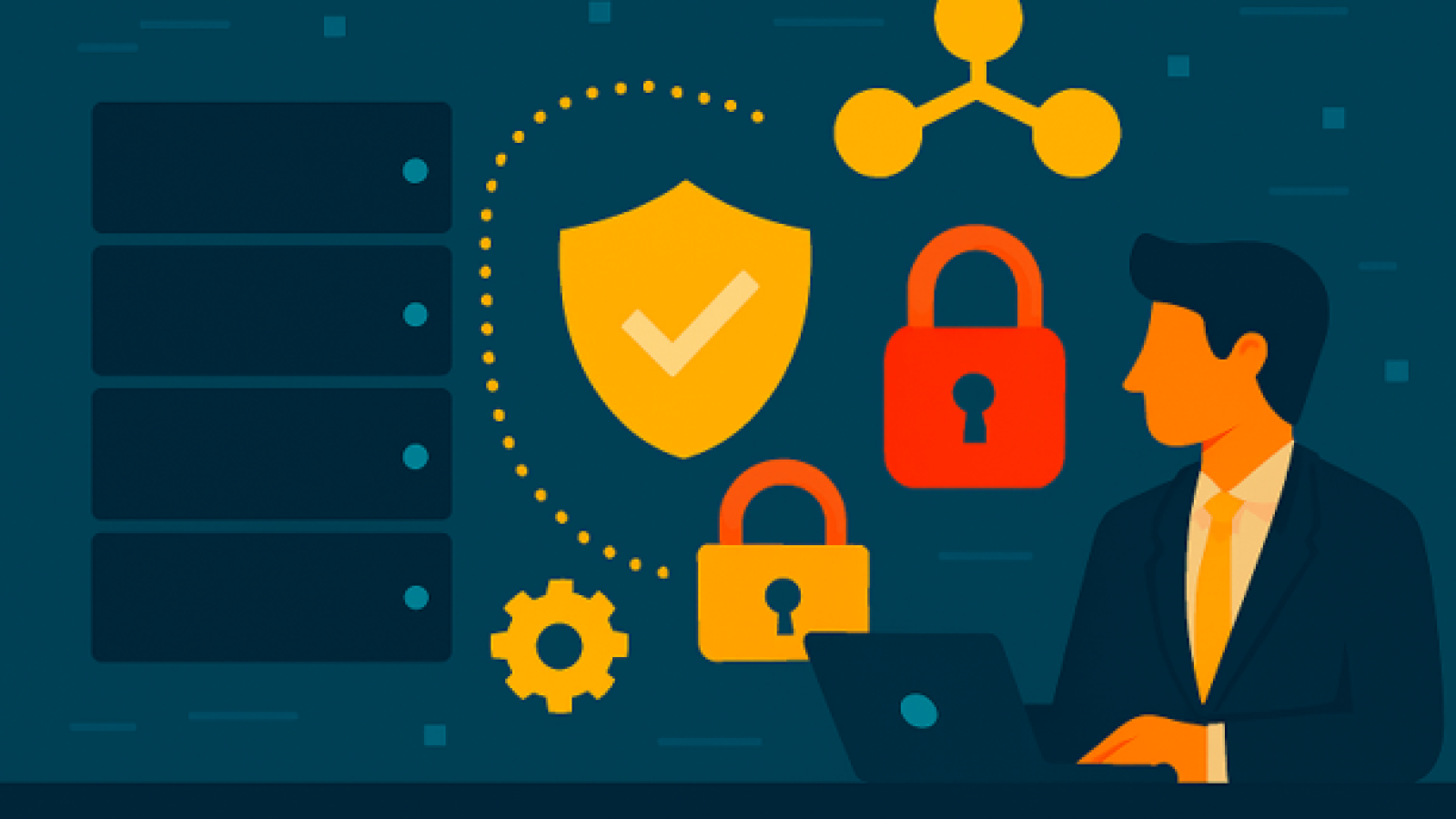
Managed IT services help cloud-based businesses operate securely, reliably, and efficiently without the cost or complexity of hiring internal IT staff.

At Abtech Technologies, we work with organizations that want the benefits of the cloud without the uncertainty, downtime, or security exposure.
What a Managed IT Service Provider Does in a Cloud Environment

A Managed IT Service Provider (MSP) acts as a strategic partner, not just a support desk.

In cloud-first businesses, managed IT focuses on:

  • Security and identity protection
  • Cloud workload monitoring (Azure and AWS)
  • SaaS and data protection
  • Cost optimization and governance
  • Proactive issue prevention

This approach replaces reactive IT support with continuous oversight and improvement.

The Biggest Benefits of Managed IT for Cloud-Based Businesses

1. Stronger Security Where Attacks Actually Occur

Most cyberattacks now target:

  • Email accounts
  • SaaS logins
  • Cloud identity systems

Managed IT services reduce risk through:

  • Multi-factor authentication and conditional access
  • Email phishing and impersonation protection
  • Endpoint detection and response (EDR/MDR)
  • Identity monitoring and alerting

Security is the highest-value managed service for modern small businesses.
2. Reliable Cloud Operations and Reduced Downtime

Cloud platforms are powerful, but they still require management.

Abtech’s managed services ensure:

  • Azure and AWS workloads are monitored 24/7
  • Performance issues are identified early
  • Patches and updates are applied safely
  • Failures are resolved quickly

This minimizes disruption and protects productivity.

3. Backup and Disaster Recovery for SaaS and Cloud

A common misconception is that cloud platforms automatically protect business data.

In reality:

  • Microsoft and AWS protect the platform
  • You are responsible for your data

Managed IT services include:

  • Microsoft 365 and SaaS backups
  • Azure and AWS workload backups
  • Ransomware recovery planning
  • Regular restore testing

This ensures your business can recover quickly from mistakes, attacks, or outages.

4. Cloud Cost Visibility and Optimization

Unmanaged cloud environments often waste money silently.

Managed IT providers:

  • Identify unused or oversized resources
  • Optimize licensing and subscriptions
  • Control cloud sprawl
  • Improve cost predictability

Many businesses reduce cloud spend by 20–40% with proper oversight.

5. Strategic IT Guidance That Supports Growth

Beyond day-to-day operations, managed IT provides:

  • Technology roadmaps aligned to business goals
  • SaaS application rationalization
  • Vendor and license management
  • Compliance guidance

This transforms IT from a reactive expense into a business advantage.

The Managed IT Services That Deliver the Most Value

For cloud-first businesses, the most impactful services are:

  1. Cybersecurity and identity protection
  2. Cloud monitoring and management (Azure/AWS)
  3. Backup and disaster recovery
  4. Cloud cost optimization
  5. Strategic IT planning

Traditional helpdesk support remains important, but it is not the primary value driver.

Is Managed IT Right for Your Business?

Managed IT services are most effective when:

  • Your business depends on SaaS and cloud platforms
  • Downtime would disrupt operations or revenue
  • Security incidents would damage trust
  • You want predictable IT costs
  • You prefer not to hire internal IT staff

Answer These Questions to Define the Right Managed IT Plan

(These become an interactive section or consultation CTA)

  • How many employees rely on IT daily?
  • Are your teams remote, hybrid, or office-based?
  • Which SaaS platforms are mission-critical?
  • Do you use Azure, AWS, or both?
  • What concerns you most: security, downtime, cost, or compliance?

Next Steps

Talk to Abtech Technologies to evaluate your cloud environment and identify the managed services that deliver the most value — without overspending.

if you are planning to move your IT systems to the cloud, we can help with that also.



Microsoft Co-Pilot 365

How Does StorTrust Protect Databases and Enterprise Applications?

Your business runs on data—and when that data becomes unavailable, operations stop.
Databases and enterprise applications like Oracle, SQL Server, and ERP systems must remain online no matter what happens—hardware failure, cyberattack, or disaster.

StorTrust, Abtech Technologies’ managed Disaster Recovery as a Service (DRaaS) platform, provides the automation, resilience, and expert management needed to keep mission-critical systems operational through any disruption.


⚠️ The Risk: Traditional Backups Aren’t Enough

Outdated backup and recovery methods often fall short when downtime strikes.

  • Manual Recovery Is Slow: Lengthy restore processes increase downtime and human error.
  • Weak Ransomware Defense: Traditional backups risk restoring already-infected data.
  • High Costs: Maintaining redundant DR hardware adds expense and complexity.

These gaps make it difficult to meet Recovery Time (RTO) and Recovery Point (RPO) objectives—two key metrics for true business continuity.


⚙️ StorTrust DRaaS: Built for Business-Critical Workloads

StorTrust delivers a unified, cloud-based recovery system tailored for enterprise applications and databases.

1. Automated Restoration

When disaster strikes, systems can be instantly spun up in the StorTrust cloud—minimizing manual intervention and cutting downtime from hours to minutes.

2. Engineer-Managed Recovery

Abtech’s certified engineers manage failover, testing, and recovery validation, ensuring data integrity and performance throughout the process.

3. Secure, Isolated Replication

Backups are replicated to secure, isolated environments, protecting against ransomware and ensuring clean recovery points.

4. Tier 3+ Infrastructure

All data is stored in high-availability data centers designed for compliance, redundancy, and performance.


? Core Benefits

FeatureBenefit
Managed DRReduces IT workload through full-service recovery management.
Fast RecoveryMeets stringent RTO/RPO targets to minimize downtime.
Ransomware ProtectionPrevents re-infection with clean, immutable recovery points.
Multi-Platform SupportProtects Windows, Linux, UNIX, VMware, and Hyper-V.

? Why StorTrust Is Essential for Application Continuity

With StorTrust, IT teams can focus on strategic priorities instead of complex recovery planning.
The platform’s automated recovery and expert management ensure critical applications stay online, compliant, and secure—without investing in additional infrastructure.


In Summary

StorTrust enables fast, secure, and fully managed recovery for databases and enterprise applications, helping businesses maintain continuity, meet compliance goals, and recover instantly from any disruption.
It’s not just about backup—it’s about keeping your core systems running when they matter most.

DALL·E 2025-11-07 13.53.47 - A sleek, modern digital shield representing cybersecurity protection for businesses, with no text. The shield features glowing blue and silver tones,

How Does StorTrust Protect Your Business from Ransomware and Data Breaches?

Cyber threats evolve daily—and even with strong security tools, no system is immune to attack.
Ransomware and data breaches can halt operations, expose sensitive data, and erode customer trust.

That’s why StorTrust, Abtech Technologies’ fully managed disaster recovery and backup service, delivers end-to-end protection that keeps your data safe, your systems online, and your business resilient when hackers strike.


⚠️ The Challenge: When Ransomware Hits

A regional law firm recently experienced a devastating ransomware attack that encrypted both production and backup data.
They faced:

  • Compromised Backups: No separation between live and backup systems.
  • No Clean Recovery Point: Backups were encrypted along with production data.
  • Compliance Fallout: GDPR reporting obligations and data exposure risk.
  • Business Paralysis: Days of downtime and lost client trust.

StorTrust rebuilt their entire recovery architecture—restoring operations in hours and ensuring their data could never be held hostage again.


?️ The StorTrust Solution

StorTrust provides multi-layered protection that secures your data before, during, and after a cyberattack.

1. Immutable, Encrypted Backups

  • Local and cloud copies protected end-to-end.
  • Immutable storage prevents ransomware tampering.
  • Multiple restore points ensure a clean, verified recovery.

2. Offsite Cloud Replication

  • Redundant Tier 3+ data centers keep data geographically isolated from production.
  • Segregated environments prevent lateral malware spread.

3. Rapid Recovery and Failover

  • Cloud-based failover restores systems in minutes with sub-hour RTOs.
  • Remote access ensures employees stay productive during recovery.

4. Breach Response and Compliance

  • Detailed recovery logs and documentation for HIPAA, GDPR, PCI DSS, and ISO 27001.
  • Simplified audit readiness and legal compliance reporting.

? Results That Matter

OutcomeBenefit
Ransomware-Proof RecoveryClean restore—no ransom required.
Fast RecoverySystems back online within hours.
Compliance ConfidenceFully auditable and regulation-ready.
Business ContinuityOperations stay active through any event.

? Why StorTrust Is Different

StorTrust isn’t just backup—it’s a complete cyber resilience solution designed to ensure that when attackers strike, your recovery is guaranteed.

With immutable data, offsite isolation, and rapid failover, StorTrust delivers peace of mind in an unpredictable digital landscape.


In Summary

When ransomware or a data breach threatens your business, StorTrust provides the line of defense that matters most—instant recovery without compromise.
Don’t wait for disaster to strike. Protect your organization now with a managed cyber resilience strategy built for today’s threats.

Proxmox Security

Optimizing Network and Security Settings in ProxMox

Security at the Core of Virtualization

As virtualization environments expand, network and security misconfigurations remain among the leading causes of data breaches and downtime. Proxmox VE provides robust networking, firewall, and role-based security capabilities that help IT teams protect virtual machines and workloads from the inside out.

Proxmox’s open-source flexibility gives organizations enterprise-grade control — without the complexity or licensing costs of proprietary platforms.


The Challenge: Complex Network Management in Virtual Environments

Managing VLANs, bridges, and firewall rules across distributed nodes can be tedious and error-prone. Even small misconfigurations can expose systems or interrupt operations.

Common pain points include:

  • Inconsistent firewall policies between nodes and VMs
  • Limited network segmentation for multi-tenant environments
  • Misconfigured bridges causing connectivity or performance issues
  • Lack of visibility into network traffic and resource utilization

For many IT teams, these challenges limit scalability and make compliance harder to maintain.


The Solution: Strengthening Virtual Network Security in Proxmox

Proxmox simplifies secure network management through its integrated firewall, SDN support, and granular user controls. These tools make it easier to standardize configurations and enforce best practices across every node.

Key capabilities include:

  • Integrated Firewall: Manage both node-level and VM-level firewalls directly from the Proxmox web interface.
  • Bridged Networking: Quickly create VLANs, network bonds, and isolated environments for different workloads.
  • SDN Integration: Support for Software-Defined Networking enables automation and policy-driven provisioning.
  • Traffic Control: Built-in bandwidth shaping and monitoring tools provide clear visibility into network performance.
  • Role-Based Access Control (RBAC): Assign user permissions across nodes and clusters to maintain security and compliance.

These capabilities help IT teams deploy consistent, auditable, and secure virtual network topologies without extensive manual configuration.


Measurable Impact: Real Results from Proxmox Optimization

Organizations that properly configure Proxmox networking and firewalls see tangible improvements in both performance and reliability.

Key Outcomes:

  • Improved Security Posture: Unified firewall policies and logical network segmentation reduce the risk of lateral attacks.
  • Higher Uptime: Automated provisioning and consistent configuration minimize human error and downtime.
  • Enhanced Visibility: Centralized traffic analytics support capacity planning and troubleshooting.
  • Operational Efficiency: Faster onboarding of new virtual machines and simplified policy enforcement.

When combined with Proxmox’s clustering and storage management tools, these features provide an enterprise-grade virtualization stack at a fraction of the cost of traditional hypervisors.


Why Choose Abtech Technologies for Secure Virtualization

At Abtech Technologies, we specialize in designing and deploying secure Proxmox environments tailored to business and compliance needs. Our engineers integrate firewalls, VLANs, and SDN policies according to industry best practices, ensuring every VM operates in a protected, optimized, and high-performing ecosystem.

We combine decades of enterprise virtualization experience with 24/7 managed support — delivering peace of mind for organizations that demand security, reliability, and scalability.

Abtech Technologies helps IT teams transform their infrastructure with confidence — whether you’re migrating from VMware or expanding your existing Proxmox cluster.

? Contact us today to discuss your Proxmox deployment or schedule a consultation.

?

Dell AI PC

Laptop Trends 2025: AI, Innovation, and Consumer Shifts

The global laptop market is entering a new era of innovation. Artificial intelligence, sustainability, and shifting consumer expectations are redefining what laptops can do — transforming them from simple productivity tools into intelligent, adaptive companions that enhance how we work, create, and connect.

Market Growth and Industry Outlook

The PC industry is bouncing back after several slow years. Global PC shipments rose by 4.9% in Q1 and 4.4% in Q2 of 2025, signaling renewed demand across consumer and enterprise segments. Analysts predict the market will reach $222.6 billion by year’s end, growing at a compound annual growth rate (CAGR) of 9.1% through 2030.

Three key forces are driving this resurgence:

  • Windows 10 End-of-Support: The shift to Windows 11 and newer versions has prompted widespread hardware upgrades.
  • AI Integration: New AI chips and processors are redefining laptop performance — and raising expectations.
  • Hybrid Work: The continued popularity of flexible work models sustains global demand for powerful, portable devices.

AI-Powered Laptops: The New Standard

Artificial intelligence is now built directly into the silicon. In 2025, nearly 44% of all laptops shipped are AI-enabled, and Microsoft’s Copilot+ PCs have set the new benchmark for AI performance. These devices handle tasks like real-time transcription, intelligent photo editing, and workflow automation with unprecedented efficiency.

Leading manufacturers are integrating AI at the core:

  • HP, Lenovo, and Asus are adding on-device AI accelerators for speech recognition, image processing, and productivity optimization.
  • Intel’s Lunar Lake and Qualcomm’s Snapdragon X Elite chipsets deliver breakthrough performance with longer battery life and faster AI computation at the edge — no cloud required.

The result? Laptops that are faster, smarter, and more adaptive than ever before.

What Consumers Want in 2025

Modern consumers expect laptops that are personal, sustainable, and wellness-conscious.
Recent surveys reveal that 78% of buyers now prefer AI-driven personalization — features that learn from usage patterns to improve speed, battery efficiency, and multitasking.

Top priorities include:

  • Sustainability: Modular and repairable designs like the Framework Laptop 13 are gaining traction as users demand eco-friendly devices with longer lifespans.
  • Health & Wellness: Blue light reduction, adaptive brightness, and ergonomic form factors are standard expectations.
  • Battery Life: Thanks to new chips like Lunar Lake and Snapdragon X Elite, users can now enjoy ultra-long battery performance, even during intensive workloads.

Top-Selling Models and Market Leaders

The 2025 laptop landscape showcases innovation across every segment — from business to gaming to creative professionals.
Some standout models include:

  • Dell XPS 15 & Inspiron 14 Plus: Sleek designs, powerful specs, and enterprise reliability make them a favorite among professionals.
  • Lenovo ThinkPad X1 Carbon Gen 12: A business-class workhorse known for durability and security.
  • Acer Nitro V & MSI Raider 18 HX AI: Leading the gaming category with AI-assisted cooling, rendering, and power optimization.
  • Asus ProArt PX13 & HP ZBook Ultra G1a: Standout AI-optimized choices for creators and designers who rely on performance and precision.
  • Apple MacBook Air M4: The world’s top-selling laptop, combining unmatched efficiency with Apple’s advanced AI architecture.

Sustainability and E-Waste Reduction

With millions of laptops reaching end-of-life each year, sustainability has become a defining focus.
Manufacturers are adopting new models like Remanufacturing-as-a-Service (RaaS) — a circular approach that extends device lifecycles, reduces e-waste, and aligns with global carbon-reduction goals.

This shift is not just about environmental impact — it’s also about consumer trust and brand reputation. Companies embracing repairability, recyclability, and renewable materials are gaining a clear market advantage.

Final Thoughts

2025 marks a pivotal year for the PC laptop industry.
AI is revolutionizing performance and user experience, sustainability is shaping product design, and consumers are demanding more intelligent, longer-lasting devices.

For manufacturers, marketers, and resellers, aligning with these trends isn’t optional — it’s essential for growth and competitiveness in the AI-driven decade ahead.

At Abtech Technologies, we help organizations and IT leaders stay ahead of the curve — whether it’s adopting AI-driven infrastructure, enhancing end-user computing, or implementing sustainable technology solutions.

? Ready to modernize your IT strategy?
Let’s start the conversation today.

Picture1AI

How To Build a Smarter, Faster IT Foundation for Microsoft 365 and AI

Why Modernization Matters

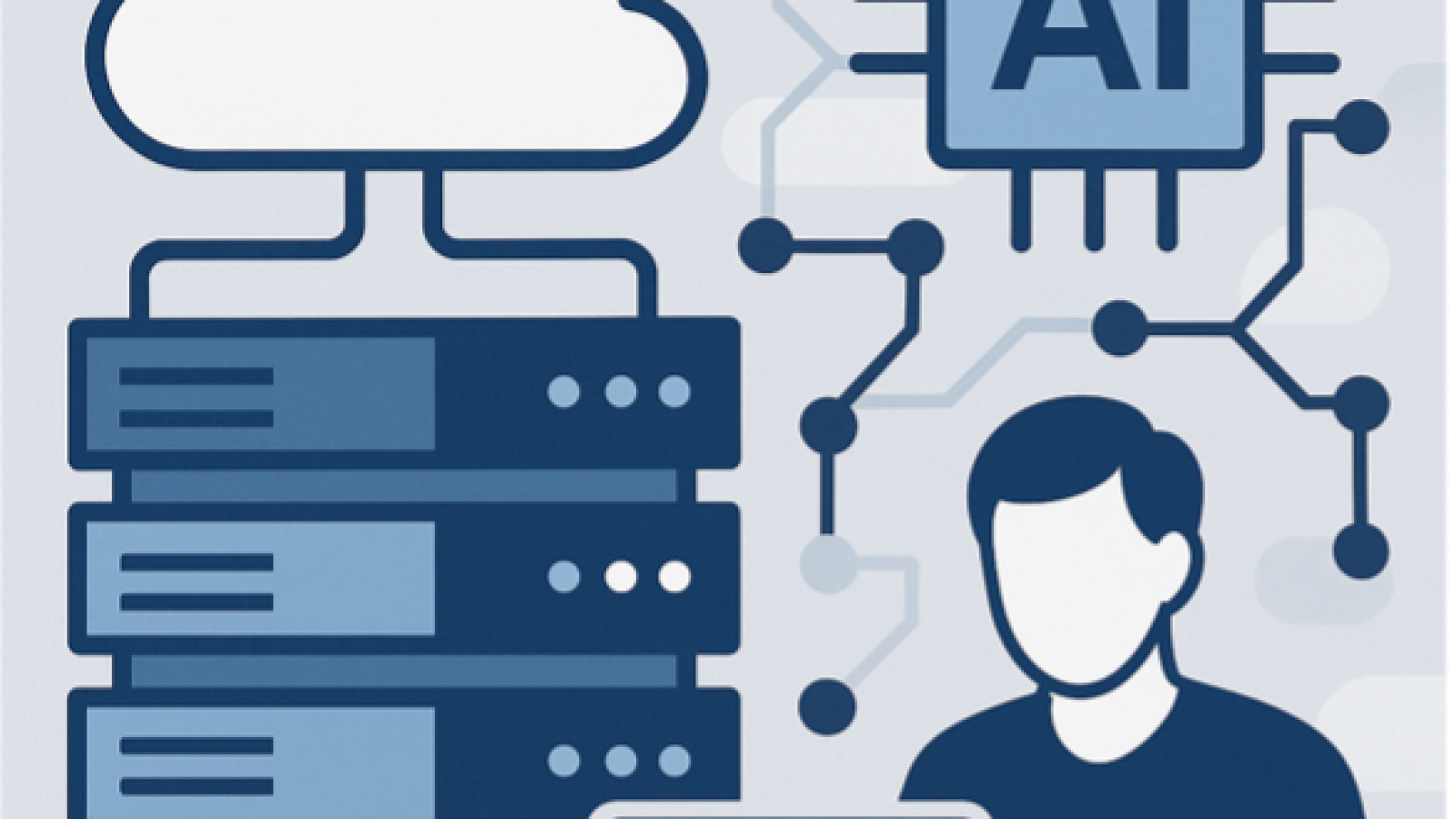
Many organizations still run on outdated data centers that are slow, costly, and hard to manage. These old systems make it difficult to take full advantage of modern tools like Microsoft 365 and AI-powered services.
To stay competitive, companies need IT systems that are fast, secure, and ready for the future.

The Problem

Our client, a software company, struggled with:

  • Old systems spread across multiple sites, making it hard to manage updates, security, and compliance.
  • Poor performance for Microsoft 365 apps, with delays in data and collaboration.
  • Inability to run AI and machine learning workloads, since their servers lacked the power and speed needed for modern analytics.
  • High costs from power use, cooling, and software licenses.
  • Slow rollout of new projects due to inefficient resource provisioning.

The Solution

We performed a complete assessment and designed a modern, unified IT environment that supports both AI and Microsoft 365.

Key improvements include:

  • Hyper-Converged Infrastructure (HCI) and virtualization upgrades for better performance and easier scaling.
  • AI/ML-ready architecture, including GPU capability for faster model training and analytics.
  • Hybrid cloud integration with Microsoft Azure, allowing seamless scalability and backup.
  • Smooth migration plan with no data loss and minimal downtime.

The Results: AI and Microsoft 365 at Full Power

After modernization, the company experienced measurable results:
✅ 40% reduction in physical servers and operational costs
✅ Faster rollout of new Microsoft 365 integrations
✅ Centralized management across hybrid environments
✅ Ready-to-scale foundation for future AI initiatives

Their IT environment transformed from a cost center into a strategic enabler of innovation.

Why Work With Abtech

We specialize in transforming traditional IT systems into powerful, AI-ready infrastructures built for Microsoft 365. Our expertise includes technologies from VMware, Dell EMC, Nutanix, Cisco, Pure Storage, and Microsoft Azure Stack HCI.

We focus on measurable results—faster performance, lower costs, and simpler management—so your IT becomes a strategic advantage, not a burden.

Key benefits:

  • Improved performance and reliability
  • Reduced costs and technical debt
  • Simplified management and compliance
  • AI-ready and future-proof foundation

Ready to Modernize Your Infrastructure?

Partner with Abtech Technologies to build a smarter, faster, and more resilient IT foundation for your business.

What Is Druva Standard Hybrid Workloads Deployment for Azure VMs — and Why It Matters

In today’s hybrid cloud world, businesses rely heavily on Azure Virtual Machines (VMs) to run critical workloads—from line-of-business applications to databases and file servers. But as cloud adoption accelerates, so does the need to protect that data against loss, corruption, or cyberattacks.

That’s where Druva Standard Hybrid Workloads for Azure VMs comes in.

This cloud-native data protection solution simplifies the way organizations back up and recover their Azure environments—offering secure, automated, and cost-effective protection for the workloads that keep your business running.


? What Is Druva Standard Hybrid Workloads for Azure VMs?

Druva Hybrid Workloads is a SaaS-based data protection platform designed to safeguard virtual machines, databases, and applications across on-premises and cloud environments.

When deployed for Azure Virtual Machines, Druva integrates directly with your Azure subscription to automatically discover, back up, and protect VMs without requiring agents or complex infrastructure.

All backups are securely stored in the Druva Cloud, providing a single pane of glass to manage protection policies, monitor backup jobs, and restore data on demand.


? Who Benefits from This Solution?

Druva’s Azure VM protection is ideal for organizations that:

  • Run production workloads in Azure and need reliable, cloud-native data protection
  • Operate hybrid IT environments, with workloads split between on-prem and Azure
  • Lack a dedicated backup team or infrastructure and want a fully managed SaaS solution
  • Must meet compliance or audit requirements for data retention and recovery
  • Need protection from ransomware and data corruption with immutable, offsite backups

Typical industries that benefit include local government, education, healthcare, manufacturing, and mid-market enterprises—especially those migrating legacy systems into Azure.


⚙️ How It Works

  1. Register Your Azure Subscription – Druva securely connects to your Azure tenant via an authorized service principal.
  2. Auto-Discover Virtual Machines – All VMs in the subscription are automatically listed for protection.
  3. Assign Backup Policies – Define schedules, retention rules, and storage locations.
  4. Automate Protection – New VMs are automatically added based on tags or resource groups.
  5. Restore Anywhere – Restore full VMs or individual files directly to Azure or another environment in minutes.

No agents, no backup servers, and no maintenance required—just simple, cloud-native protection managed from a web console.


? The Value It Offers

1. Comprehensive Data Protection

Protect your Azure workloads against accidental deletion, corruption, or ransomware attacks with automated, policy-driven backups.

2. Cost Efficiency

Eliminate the need for costly backup infrastructure, agents, or secondary storage. Druva’s deduplication and compression significantly reduce storage and egress costs.

3. Fast, Flexible Recovery

Recover an entire virtual machine, a specific disk, or even individual files—all within minutes, from anywhere.

4. Centralized Management

Simplify oversight with a single dashboard for Azure, on-prem, and other workloads. Gain visibility into backup health, storage usage, and compliance.

5. Ransomware Resilience

Immutable cloud backups ensure data cannot be altered or encrypted, even if your production environment is compromised.

6. Compliance and Governance

Built-in audit trails, role-based access, and retention policies help you meet data protection and regulatory standards like HIPAA, GDPR, or CJIS.


? Why It’s the Right Choice for Modern IT Teams

For IT leaders navigating hybrid and multi-cloud complexity, Druva’s Hybrid Workloads for Azure VMs delivers a fully managed, scalable, and secure approach to data protection.

You gain enterprise-grade backup and recovery capabilities without the burden of maintaining hardware, patching software, or managing upgrades—so your team can focus on innovation, not infrastructure.


? Final Thoughts

Whether you’re running a handful of Azure VMs or a full hybrid infrastructure, Druva Standard Hybrid Workloads provides peace of mind that your data is protected, recoverable, and compliant—all from a single, easy-to-manage platform.

At Abtech Technologies, we help organizations implement and manage Druva’s data protection solutions to achieve maximum uptime and resilience.

? Contact us today to learn how Druva Hybrid Workloads can simplify and strengthen your Azure data protection strategy.

IT-Solutions-08

PC Provisioning & Installation Services

For any organization, the deployment of new PCs is more than just plugging in hardware — it’s about giving employees reliable, secure, and fully configured systems that allow them to get to work without delays. Nowhere is this more critical than in healthcare, where doctors and staff rely on technology every day to provide patient care. Outdated or poorly configured PCs can slow down workflows, create security risks, and lead to frustrated employees.

Abtech’s PC Provisioning & Installation Services are designed to take the complexity out of deploying new systems. We deliver fully imaged, compliant, and ready-to-use PCs so that employees can be productive from the moment they log in.

The Business Need

A group of doctors’ offices approached Abtech with a challenge. Each location had a mix of aging hardware and new systems, creating inconsistencies in performance and user experience. Some employees were waiting several minutes just to log in, while others were struggling with software compatibility issues. Security and compliance were also major concerns. Healthcare organizations handle sensitive patient data, and outdated systems posed a risk of breaches or non-compliance with HIPAA regulations.

The offices needed a provider that could not only supply and configure new PCs but also ensure that every system was secure, standardized, and tailored to their healthcare environment. With staff focused on patient care, there was no time for IT headaches during the transition.

Abtech’s Approach

Abtech created a provisioning plan that addressed both technical requirements and the realities of a busy healthcare setting. We began by assessing the needs of each office, including the software applications, compliance requirements, and user roles. From there, our team developed a standardized image that included operating system updates, security settings, and all required healthcare applications.

On-site, we managed the full deployment of new systems, replacing outdated PCs and ensuring that every workstation was configured correctly. User profiles and data were migrated so staff could resume work without disruption. Security was built into every step, from encryption and antivirus setup to compliance-ready configurations that aligned with HIPAA standards.

To minimize downtime, installations were scheduled outside of peak hours, allowing patient care to continue uninterrupted. Abtech also provided training and support to ensure that staff were comfortable with their new systems.

The Results

The doctors’ offices immediately noticed a difference. Employees were able to log in and access patient data faster, reducing delays during busy hours. Standardized configurations meant fewer IT issues and easier support across multiple locations. With new security policies in place, leadership had confidence that patient data was being handled in a compliant and secure manner.

By centralizing procurement, imaging, and installation under Abtech, the offices also reduced costs. There was no longer a need to juggle multiple vendors or dedicate staff time to troubleshooting. The result was an IT environment that supported patient care rather than distracting from it.

Why Companies Choose Abtech for PC Provisioning & Installation

Organizations looking for a provider to handle PC provisioning need more than just hardware delivery. They need a partner that understands how to design and execute deployments that are secure, standardized, and tailored to their business. Abtech offers exactly that.

Our approach ensures that every system arrives configured for productivity, with security and compliance built in. We’ve worked with healthcare organizations, professional offices, and enterprises of all sizes to streamline the rollout of new PCs, reduce downtime, and improve user satisfaction.

Future-Ready IT Environments

For the doctors’ offices we supported, the investment in standardized PCs wasn’t just about fixing current issues — it created a stable foundation for the future. As new applications are added and compliance requirements evolve, the infrastructure is ready to adapt without requiring another disruptive refresh.

For any business looking for a trusted provider to deliver PC Provisioning & Installation Services, Abtech can ensure that your employees start strong on day one and that your IT environment continues to support productivity well into the future.

Microsoft 365 user training

Operating System Upgrade Services

In industries where production depends on reliability, outdated operating systems can quickly become a liability. Unsupported platforms increase the risk of security breaches, limit compatibility with modern applications, and make it harder for IT teams to keep systems stable. For manufacturers, where downtime can mean lost revenue and missed deadlines, running on obsolete operating systems is simply not an option.

Abtech’s Operating System Upgrade Services help businesses modernize their environments with minimal disruption. By planning carefully, testing thoroughly, and executing with precision, we deliver upgrades that improve performance, strengthen security, and extend the lifecycle of critical systems.

The Business Need

An industrial electric motor manufacturer approached Abtech with an urgent problem. Many of their production systems were still running on older versions of Windows Server and Windows client operating systems. Not only had vendor support ended, but they were also struggling to integrate new applications that required more modern platforms. The risk of vulnerabilities and incompatibility was growing with each passing month.

For this manufacturer, stability on the shop floor was non-negotiable. Any system outage could disrupt production lines, delay shipments, and impact relationships with customers. Leadership recognized the need for an operating system upgrade but lacked the internal resources and expertise to plan and execute such a large project. They needed a provider who could modernize their environment without jeopardizing day-to-day operations.

Abtech’s Approach

Abtech began with a full audit of the manufacturer’s IT landscape, mapping out all systems, applications, and dependencies. This assessment allowed us to prioritize critical workloads and determine the best upgrade path for each system.

Our team then built a detailed migration plan, including pilot testing to confirm compatibility and performance before rolling out changes company-wide. During the upgrade, we scheduled maintenance windows outside of production hours, minimizing disruption on the factory floor. Data was backed up and validated prior to every step, ensuring recoverability if issues arose.

Key elements of the project included upgrading Windows Server environments to supported versions, migrating user systems to modern Windows clients, and reconfiguring security policies to align with updated operating system standards. We also took the opportunity to optimize system performance, applying patches and best practices to ensure a smoother user experience going forward.

The Results

The upgrades brought immediate benefits. Systems ran faster and were more stable, improving employee productivity across departments. By moving off unsupported platforms, the company closed critical security gaps and gained access to ongoing patches and vendor support. Compatibility issues with newer software were eliminated, allowing the business to deploy updated production tools without concern.

On the manufacturing floor, uptime improved thanks to the increased stability of the new operating systems. The IT team also gained peace of mind, knowing they no longer had to support legacy platforms that were difficult to manage and prone to failure. Leadership viewed the project not just as a technology refresh but as an investment in operational resilience.

Why Companies Choose Abtech for OS Upgrades

Upgrading an operating system may sound straightforward, but in practice it requires planning, testing, and careful execution — especially in industries where uptime is critical. Abtech combines technical expertise with a proven methodology to deliver upgrades that are smooth, secure, and aligned with business needs.

Companies that choose Abtech for OS Upgrades benefit from:

  • Thorough assessment and planning to avoid surprises.
  • Proven strategies for minimizing downtime during transitions.
  • Security-first upgrades that close vulnerabilities immediately.
  • Optimized performance and improved compatibility with modern applications.

Modernizing for the Future

For the industrial electric motor manufacturer, the OS upgrade project was about more than patching old systems. It was about building a stable, modern foundation that could support production demands for years to come. With updated systems in place, they are better equipped to integrate new technologies, protect against evolving threats, and keep operations running smoothly.

For any organization searching for a trusted provider of Operating System Upgrade Services, Abtech offers the expertise and experience to ensure that your transition is successful, secure, and future-ready.

Microsoft Services Network_simple_compose

Hypervisor Migration Services

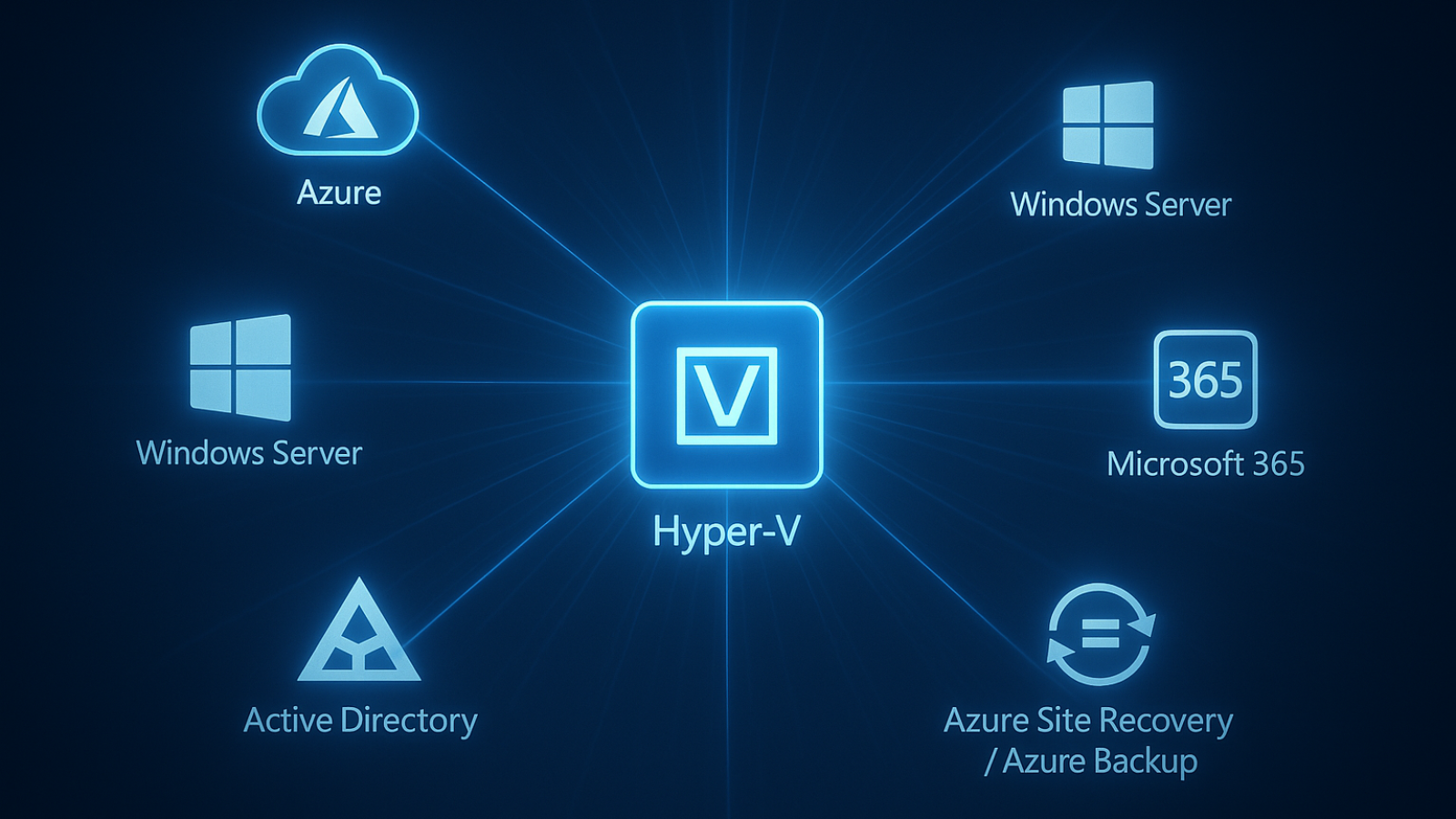
Virtualization is the backbone of modern IT, but not all hypervisor platforms deliver the same value. As licensing costs rise and business requirements evolve, many organizations are re-evaluating their virtualization strategy. For companies running VMware, moving to Microsoft Hyper-V can deliver substantial cost savings, tighter integration with Microsoft technologies, and improved scalability — all without sacrificing performance.

Abtech’s Hypervisor Migration Services help organizations transition from VMware to Hyper-V with minimal risk and disruption. By combining deep expertise in virtualization with proven methodologies, we deliver migrations that improve efficiency, reduce costs, and create a platform ready for future growth.

The Business Need

A car body repair company approached Abtech after realizing that their VMware environment had become expensive and difficult to manage. Licensing costs were climbing year after year, and the company was also struggling with compatibility and integration challenges as they expanded their use of Microsoft-based applications.

The business needed a virtualization platform that was more cost-effective, easier to manage, and better aligned with the rest of their IT ecosystem. At the same time, they couldn’t afford extended downtime, since their scheduling, inventory, and customer systems all depended on virtualized workloads running smoothly.

Abtech’s Approach

Abtech began with a full assessment of the company’s VMware environment, cataloging virtual machines, applications, and dependencies. This step ensured that no workload was overlooked and that potential risks were identified early. We then designed a migration roadmap tailored to the company’s needs, balancing speed, safety, and continuity.

The migration process included converting VMware virtual machines into Hyper-V format, testing compatibility, and validating performance. We staged workloads in phases, moving non-critical systems first to confirm stability before migrating production workloads. Throughout the process, backups and replication were maintained, ensuring that data could be recovered quickly in the unlikely event of an issue.

To maximize the benefits of the move, we also reconfigured resource allocation, ensuring that virtual machines on Hyper-V were optimized for performance. Security and compliance settings were reviewed and updated to align with Microsoft’s best practices. Once complete, we trained the company’s IT staff on Hyper-V management tools, giving them the skills to operate the new environment confidently.

The Results

The migration to Hyper-V delivered immediate results. Licensing and support costs dropped significantly, freeing up budget for other IT initiatives. Integration with Microsoft 365 and other Microsoft services became simpler, improving overall efficiency. Performance across workloads was stable, with faster provisioning of new virtual machines and easier management through Hyper-V’s centralized tools.

Perhaps most importantly, the migration was completed with minimal disruption. Customer-facing applications remained available throughout, ensuring that day-to-day business was not impacted. Leadership gained confidence that the new virtualization environment would not only lower costs but also support future needs.

Why Companies Choose Abtech for Hypervisor Migrations

Migrating from one hypervisor to another is not a task to take lightly. It requires careful planning, technical expertise, and a clear understanding of both platforms. Abtech has guided organizations across industries through successful hypervisor migrations, ensuring smooth transitions and long-term success.

Companies that choose Abtech benefit from:

  • Proven experience migrating from VMware to Microsoft Hyper-V.
  • Strategies that minimize downtime and risk during the migration process.
  • Cost savings through reduced licensing and support fees.
  • Optimization and training that ensure the new environment is sustainable.

A More Efficient Virtualization Platform

For the car body repair company we supported, moving from VMware to Hyper-V wasn’t just about saving money — it was about creating a more efficient, integrated, and future-ready IT environment. With Abtech’s help, they now operate on a platform that reduces costs, improves scalability, and positions them for continued growth.

For any business searching for a trusted provider of Hypervisor Migration Services, Abtech can deliver a smooth, secure, and cost-effective transition.